Thursday, December 5, 2013

Do you want Craft Gossip?

Do you subscribe to Craft Gossip? If you don't, your should!  It is the only daily email that I never delete and always, always read!  I can't tell you how many amazing ideas and websites I have been turned on to (and actually tried!) from this dynamite resource.  Below you will find just a few of the fabulous ideas that I collected from only 2 days worth of newsletters.  I have even had a few of my own blog posts included in their newsletter which has directed a lot of traffic my way!  Be sure to submit your own great posts here.  Now I'm off to try my hand at those adorable angels...

DIY Wire Angel Ornaments

By Vikram Goyal on Dec 05, 2013 10:55 am

DIY Wire Angel Ornaments
Charming and so easy to make, learn to create these wire angel ornaments via this tutorial of AdventuresOfADIYMom. The idea came to Rachel via Pinterest, but she had definitely made it her own! As with most ideas on Pinterest, the links didn’t go anywhere.
Luckily, this link below should give you all the instructions you need to make your own …

Continue Reading »

Easy Christmas Lights

By Carolyn Bickford on Dec 05, 2013 10:00 am

M&M Christmas Lights
Christmas Lights are so pretty and yet can be annoying when one goes out. Here is a fun set of Christmas lights that you never have to worry about the lights going out. Although you might have to worry about the lights disappearing. This is also a fun craft that you can do with the kids. Beth shows you all …

Continue Reading »

Tutorial: Bows from Scrapbooking Paper

By Heather Holbrook on Dec 05, 2013 09:09 am

Tutorial: Bows from Scrapbooking Paper
Turn those extra strips of pattern paper into the perfect bow for holiday packages! The Glue Dot blog has a quick and easy tutorial for making them.
-Heather…

Continue Reading »


Freebie | Holiday Cursive Word Art from Pink Trike Design

By Francine Clouden on Dec 05, 2013 08:00 am

Freebie - Holiday Word Art from Pink Trike Design
I love this set of Cursive Holiday Word Art and plan to use them in my December Daily this year. They come compliments of  Robyn Meierotto of Pink Trike Designs and are great for both digital and paper projects. Go grab them here.…

Continue Reading »

How To Write And Publish A Craft Book

By Shellie Wilson on Dec 05, 2013 05:46 am

how-to-write-a-craft-book-and-get-published

CraftChica shares this article/review on Mark Montana’s new book How to write and publish a craft book. Very insightful and what doesn’t scare you off will surely inspire you. The closest I have ever come to writing a craft book was for crafts with dyer lint. It came to me at the wrong time (Not sure I could …

Continue Reading »

Chocolate Sugar Scrub

By Shellie Wilson on Dec 05, 2013 12:14 am

chocolate-sugar-scrub-8
The temptation to eat this will be great but the desire to soak in it will win you over. The presentation of this chocolate scrub is amazing. It looks delightful I am sure it smells delightful. Full instructions and tutorial here.
I love giving sugar scrubs as gifts as they are so easy to make and always get used. Last …

Continue Reading »


The Right Tools for the Job

By Connie Barwick on Dec 04, 2013 10:42 pm

usetools 
What are your favorite tools as a needleworker? Since cross-stitch is my main deal, I have a few things I can’t do without, including petite cross stitch needles, sharp embroidery scissors, tweezers, and a bin for my thread ends aka orts. Recently over at Eileen’s Machine Embroidery Blog there was a great post about all the tools necessary for certain …

Continue Reading »

Tutorial | Christmas Countdown Calendar for Small Spaces & Traveling

By Francine Clouden on Dec 04, 2013 08:00 am

Tutorial - Christmas Countdown Calendar by Einat Kessler
Einat Kessler shows how you can make a Christmas Countdown Calendar that sits on a table top. This is great if you don’t have a lot of space for a bigger Advent Calendar. it’s also portable, so if you’re traveling this holiday season it’s perfect! Click here to see the tutorial.…

Continue Reading »


A Cozy Christmas: Gift Wrap

By Linda Lanese on Dec 03, 2013 12:46 pm

sweather wrappingsweather wrapping1
Sisters, Emily & Sarah are constantly working to have more efficient, beautiful lives and homes. I am sure you will find their postings fun and inspiring.  Their “Cozy Christmas: Gift Wraps” are such a stunning idea and I am so happy I found them on “Boxwood Clippings” and I am thankful for bloggers that do share their ideas.  Thanks Ladies!…

Continue Reading »

Friday, November 29, 2013

Cricut The Mix and Match button

This tutorial comes from Fantabulous Cricut Challenge Blog.
 Thursday Tutorial: The Mix and Match button & how to use it!
This weeks tutorial is on the mix & match button you find on the Cricut Expression. Recently I was doing a project where I could have really, really used this feature-making it easier on myself and saving frustration. I used to use mix & match a lot, and slowly forgot about it. Let's review its use with Megan at Above Rubies Studio!


Mix and Match button-
•Allows you to use multiple Creative Features at the same time.
This is trickier…the order you select the buttons matters!
•Press Mix and Match
•Next the character you want to cut and then Creative Feature on the keypad

*Character then feature key*
You can only choose one dial size even in mix and match. If you want different sizes, you need to cut and then change the dial size.

 This tutorial is a great memory refresher, with a bunch of cool tips!

Tuesday, November 26, 2013

Just a Little Chit Chat While I'm Working on My Next Crafty Post

This isn't a crafty post I am afraid. I am working on a good one full of photos but in the mean time, I thought I would share a story so I can post a photo that made me laugh so hard I almost peed my pants.

My poor Maine Coon.  I have two long haired, but one is an albino and he has been itching and licking much more than usual so his beautiful long white coat is now fashioned like a poodle.  It is too pathetic to post a photo and I don't want anyone to think I am neglecting my animal.  I am not. I adore my kitties.

He is still super playful, cuddly and eating just fine.  He isn't depressed and while we have had our share of drama in the Isaacs' household recently, I don't think he is stressed out.  I know it isn't ring worm because the location is off, plus his brother is just fine.  Because of this, I decided that before I took him to the vet, I'd talk to my guy at Petsmart.  As usual, he was super helpful.  We are looking at 2 things:
  1. At the time the licking increased I made a couple changes.  One was that I bought a different brand of cat food and it wasn't the fancy stuff.  I was out of food and it was late so I went to Walgreens and bought a bag from their limited selection.  It could be that White Kitty is having a reaction to the wheat- yes its weird, but he may be Gluten intolerant. (Btw- his name is Paris but I like White Kitty better.  His brother is an orange Maine Coon named Bo and I call him... [surprise!] Orange Kitty.  My kids hate it but IMHO my names are really sweet, very enduring and authentic to who they are as individuals...but I digress.)  So I bought the rice based food in hopes that it will help.  We will have to wait and see.
  2. The other change was that I bought the Costco flea treatment generic for Frontline.  It was $50 cheaper and I like other Kirkland products so I thought it would be OK. Petsmart guy said a number of his customers have had trouble with it.  Unfortunately, we just treated the cats last week thinking an allergic reaction to fleas could be the culprit so I have to wait another 3 weeks before I can start using the Frontline again. 
That being the case, Petsmart guy suggested a nice Oatmeal based shampoo until the new food kicked in and the new flea treatment could be used.  The shampoo was $15. I passed because I knew if I googled it, I could find a homemade recipe. Amazingly, there were many to choose from.  I love the internet! This is the one I think I will try

Which gets me to the photo I stumbled upon that lead to this little ramble...  Ta Da....
This made me laugh out loud. I just had to share it.  That is all.;o)

Sunday, November 24, 2013

Brief Absence Extended By Job Related Injury

I guess most jobs have a risk of injury. Desk jobs have ergonomic issues. Bakers have more oven related risks. Electricians might get electrocuted. Even a mailman is at risk of dog bites.

The crafter also has potential job related risks like getting burnt by a glue gun or in my case, cutting themselves with a craft knife. Unfortunately, just a week after after my son recovered from his nearly 2 month battle with a bone infection, I amputated the pad off of my index finger. There are cuts, there are deep cuts, there is severing, and then there is the amputation where the area removed will not grow back, nor can it be reattached. The latter was what happened to me.

I was rushing to teach a Create and Innovate family class in which we where painting pumpkins and creating "inchie collages." I needed to cut poster board and it wouldn't fit in my trimmer, so I used my T-square and Exacto knife. I was cutting through multiple sheets, so I put in a new blade. I miscalculated my finger positioning in my haste and sliced off the front of my left index finger; the pad. The cut removed almost all of the meat (for lack of a better word), bled like you would not believe and hurt like a 4 alarm fire. There are sooooooooo many nerve endings on the pad and every last one was screaming its head off!

Fast forward 7 weeks, and I am still unable to use my left hand for a majority of tasks. I can't dig in my purse for keys, use my left hand to rub in shampoo, put my hair in french braids, button tight jeans, seal a zip lock bag, etc, etc.

I feel ridiculous using such a serious, dramatic tone about this injury. "I cut my finger", "I can't type by touch anymore", "whaa, whaa, whaaa!"
It just sounds so silly. One does not realize how the index finger leads the use of the hand. When the brain tells the hand to move the fingers, the index finger is the captain of the team. You might send signals that say "everybody but the index", but the index will go regardless. In many ways, it has left me without a left hand, and even now, it still hurts like a bad burn when it comes into contact with anything. The cast is helpful but it inhibits healing so the Dr. doesn't want me to wear it unless I am doing an activity that will inevitably cause contact with my finger.

I have adjusted to getting things done without touching the pad area and am more patient with myself.  It is what it is and I'm told it will take 6 months before it doesn't scream when I hit it.  My finger print is gone so if I want to start doing 1 finger theft, I could do OK.  I'll always have a deformed looking finger profile-  I can live with that.  My biggest boo hoo is that I won't ever get feeling back in that area and the index finger is a major instrument for experiencing touch.  That sucks.  But, when using a glue gun it could be an advantageous.

So that is my story.  I hate that I left my blog unattended. I always find it frustrating when I follow a blog and then they stop posting. I really don't mean to be flakey- I just found myself bogged down with a bunch of excuses.
- Everything takes me so much longer to do so I find myself with very little free time - folding clothes, doing dishes, making lunches, sweeping the floor...even now these tasks are a challenge and take forever.
-Typing is difficult -right now I am pecking and my brain is moving much faster then my hands.
-I have been a little depressed and overwhelmed - my inner dialogue has been very negative and frustrated.

Valid as these reasons are, I don't feel good about disappearing as I did and want to apologize to my readers and Fantabulous Cricut Challenge Blog.

On a more positive note... I did continue to work during this time. I had a commitment to teach 4 classes a month and I needed the moo-la so I took care of business.  I had a lot of help!  I created a couple of fun projects.  Below are photos of the haunted house I taught in October.

I also have pics of the kids making their houses.  They turned out AWESOME!!  I'll post more photos this week now that I'm back in the saddle.  I look forward to reconnecting with you and look forward to crafting together!

Thursday, September 19, 2013

Brief Silence

Just wanted to let you know that I won't be posting this week as my son, Aidan is in the hospital with a bone infection. Hopefully the MRI will show that the infection has not penetrated the bone and they can take him off of IV antibiotics and send him home on Saturday with pills.  Please keep him in your prayers.

Sunday, September 15, 2013

CRI-kits and MAR-kits Pens are Super, Duper Fun


This week's challenge on the Fantabulous Cricut Challenge Blog
is A,B,C's and 1,2,3's. I decided to use my CRI-kit and MAR-kit pens in conjunction with chipboard letters.  I wanted to create a sort of "old school" look while playing with the A,B,C motif. 

I made a card for my daughter which she *LOVED*!  The design was whimsical enough that it gave me an opportunity to use some of my of the products I have been hoarding like baker's twine, 6 x 6" paper pads and notebook style scrapbooking paper.

This was the first time I had used the font from the Cricut cartridge "Designer's Calendar."  Instead of cutting out my words, I used the Mar-kits to draw them.  Then I went back over the words with a black CRI-kit gel pen to outline each letter.

It took me a minute or two to figure out the nuances of the various font options.  The letters vary in proportions and spacing so I used my gypsy to adjust the kerning and sizes to get the look I wanted.  To keep the script flowing like handwriting, I welded the letters together.

The interior of the card reads "D is for daughter.  I love you my sweet girl... from a to z and back again!"

Click the icon below to purchase a set of CRI-kits and/ or Mar-kits.  They are so easy to use and have a spectacular look on Cricut projects!


Thursday, September 12, 2013

20 Unique Ways to Use Vinyl

There are so many ways to use vinyl!  Here are 20 unique ideas...
  1. On the glass inside of a frame.
  2. On Christmas ornaments. 
  3. On your propane tank. 
  4.  On baby wipe cases.
  5. On mailboxes.
  6. On clothes hangers.
  7. On rain boots.
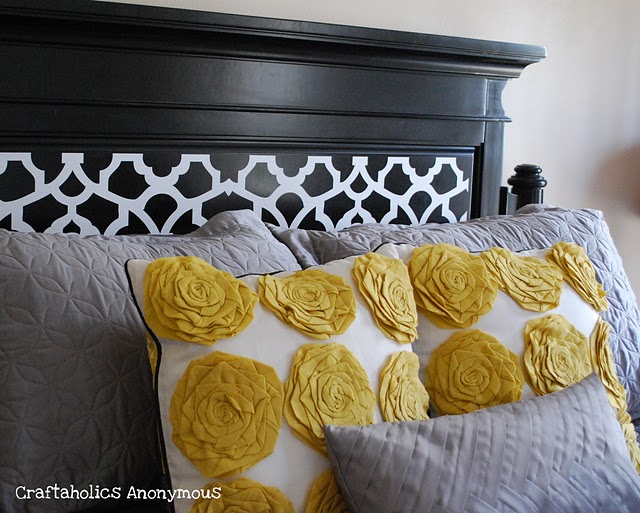
  8. On your headboard. 
  9. On plastic cones.
  10. On a fishbowl. 
  11. On a trashcan.
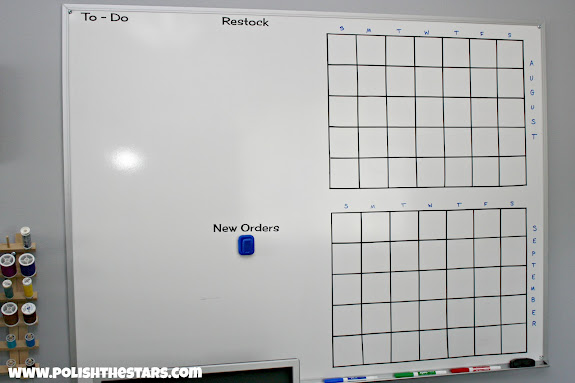
  12. On a white board.
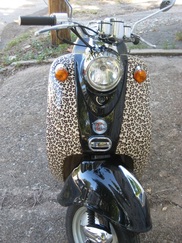
  13. On a moped. 
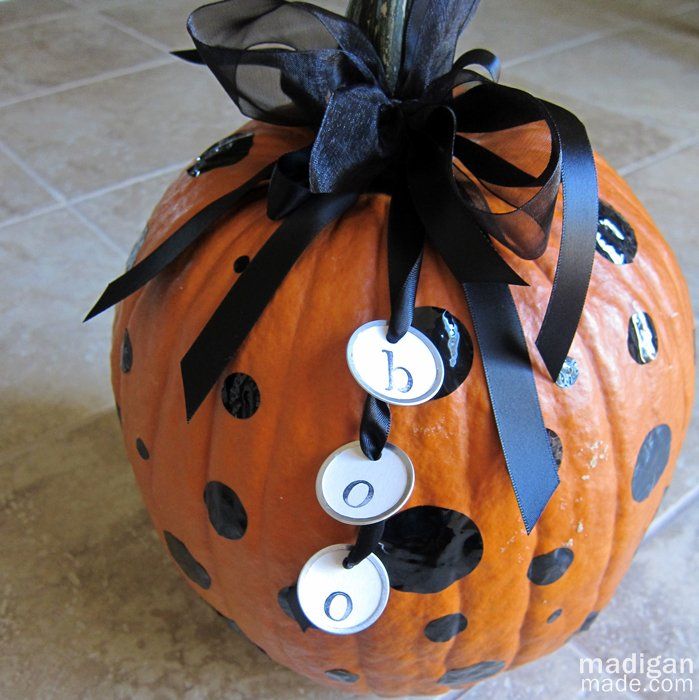
  14. On pumpkins.
  15. On a bike helmet.
  16. On the ceiling fan.
  17. On the toilet.
     

  18. On the washing machine.
  19. Knobs.
  20. Binkys.

Monday, September 9, 2013

Decorating Mylar Balloons with Vinyl

Welcome to DAY TWO of Vinyl University and the Fantabulous Cricut Challenge Blog Cricut Crawl (blog hop).  Today, here at Jilliene Designing, you are going to learn how to use vinyl on Mylar balloons.  It is a VERY easy process and would make a wonderful submission for our Vinyl Challenge!!!  Remember, if you post a project using vinyl and one Cricut cut and link it to the Fantabulous Cricut Challenge Blog you will have a chance to win a Cricut Expression and loads of other goodies. 

Follow along our Cricut Crawl/Blog Hop and you will have a chance to win 18 more giveaways!  You are currently at stop #2 on the rooster so if you missed Robin's Creative Cottage, be sure to pop back before you move on to Heather at Scrapping Runner Creations.  Here is our entire blog hop line-up:

Robin http://robinscreativecottage.blogspot.com
YOU ARE HERE  -> Jilliene http://jillienedesigns.blogspot.com
Heather http://scrappingrunnercreations.blogspot.com
JoNeita http://createwithjoneita.weebly.com
Jackie http://luv2scrappp.blogspot.com
LB http://www.coolbeansbylb.blogspot.com
Connie http://www.conniecancrop.blogspot.com
Amy T www.craftingwithamy.com
Missy http://www.quickchickdesigns.blogspot.com
Cindy http://www.cindyvernon.blogspot.com
Rebecca craftingmisfit.blogspot.com
Catarina http://blog.docerelashop.com
Kim ogdendoll.blogspot.com
Emily molliemugsblog.blogspot.com
Amy HS http://thestampingtree.blogspot.com
Ro http://rodonner.blogspot.com
Lynn http://mycardsnstuff.blogspot.com
Michelle http://justanutterpapercrafter.blogspot.com


As I mentioned in yesterday's post, last weekend we threw a surprise pirate birthday party for my daughter.  We wanted to get the most bang (kaboom) for our buck so I used my Cricut to "Piratize" many of the decorations.

I printed and cut the skull and crossbones below with my Cricut Imagine using the Imagine Cartridge "Buccaneer." 


Then I ran the skulls through my Xyron machine and attached them to stapled Dollar Tree foam cowboy hats. 


My favorite project was turning a few simple Mylar balloons into a pirate party bouquet! I purchased 9 balloons from Dollar Tree in white, red and black. I used 3, 6x12" vinyl sheets to cut out pirate graphics from the Cricut cartridge "Life's a Party" (vinyl sheets are only $.99 each at Cricket Vinyl Supplies - white, red, brown.)


It was so simple to dress up these balloons - I just couldn't believe it! First I selected the image I wanted to add to the balloon and then I placed the vinyl on my mat.


I squeegeed the vinyl down securely on the mat to prevent air bubbles later on in the process. Next I adjusted the image size so that it would fit appropriately on the balloon and I adjusted my cut settings on my Cricut.

Vinyl cut settings: blade depth-4, speed-4 and pressure-4 


Once cut, I removed the excess vinyl around the image and within the image so that I was left with only the cut I wanted to transfer.  I left this image on the mat. 

Now I needed to cut my transfer tape to a size large enough to cover the entire vinyl image, but not so large that there was extra tape hanging over the edges that might cause creases and other transfer issues when I went to apply the vinyl to the balloon.  To do this I rested the transfer tape above the image so the the edge of the tape sheet sat a little father over than the image edge.  I used my scissors to cut the transfer tape from the larger sheet so that there was just a small overhang on the other side as well. That was my horizontal measurement.  I repeated the process for the side of the image to get the vertical measurement leaving me with a piece of transfer tape just a tiny bit bigger than the actual image.

TIP:  If you do not have transfer tape on hand, you can use Con-Tact Quick Clear Self Adhesive Shelf Liner from the Dollar Tree for $1.00.  It actually works great and is much less expensive than official vinyl transfer tape.


To apply the transfer tape to the vinyl, I peeled a small portion of the transfer tape back so I could position it on top of the vinyl, distributing it evenly, and then I gradually eased the tape over the vinyl smoothing out bubbles and wrinkles with a spatula tool as I laid it down. You should smooth over the transfer tape/ vinyl "sandwich" several times to remove as many bubbles as possible and to make sure that the tape is adhered to the entire vinyl cut.  This will prevent the vinyl from stretching out of shape or grabbing onto the Mylar before you have it positioned correctly.

TIP: If you do not have a official vinyl transfer tool or Cricut spatula tool you can use a grout/ paint spatula tool from Dollar Tree found in the hardware section next to the paint supplies.

There are two strategies for removing the vinyl from the Cricut mat.  The first option is to remove the vinyl from the mat with the backing still on the vinyl.  If you have used the 4, 4, 4 settings, the blade should have gone through the backing and you should have no trouble lifting the entire cut.  This is ideal when you are putting down a vinyl image that is large like the "Arrrgh" (below) because you can "peel and place", meaning you can peel a little of the backing off at a time, place down a portion of the image and smooth, then peel, etc.  This method will allow you to course correct if it starts to lay down wonky and will help prevent distortion and stretching.


The other strategy for lifting the vinyl off your mat is to lift it slowly and carefully so that you leave the backing on the mat (see below).


This method is best when you have delicate images that could easily tear or become distorted.  With these, you might want to lay down the vinyl starting from the center, top of the image and gently smooth the transfer tape moving down and outward.

Once you place the vinyl down, gently use your spatula to secure the adhesion.  Remember, you are working on a delicate, air filled substrate (that could pop), so don't worry too much about minor stretching or bubbles.  Mylar balloons are rounded and have their own creases so most vinyl blemishes will blend in.

Now gently pull off the transfer tape and your balloon is finished!


Vinyl University and FCCB Cricut Crawl

Welcome to the Fantabulous Cricut Challenge Blog's "Cricut Crawl" (a Cricuty version of a blog hop), day one of "Vinyl University" sponsored by Cricket Vinyl Supplies, and if you are new to Jilliene Designing, welcome to my blog!

This week FCCB is challenging you to create a Cricut project using vinyl. You can purchase vinyl for your project at Cricket Vinyl Supplies using the coupon code: fantabulous for a 15% discount! 

Prizes, prizes, prizes... If 100 crafters submit a project for this week's Fantabulous Cricut Challenge Blog's challenge, Cricket Vinyl Supplies will give away a Cricut Expression package that includes:
  • a Cricut Expression machine
  • deep cut blade
  • Jasmine Cricut cartridge
  • ten 12” x 12” assorted sheets of matte vinyl
  • one 12” x 12” gridded transfer tape. 
Winners will be selected by random.org so your project doesn't have to be an extravagant masterpiece to qualify to win!  You just need to use vinyl and one Cricut cut.

But wait!  There's more!  There will be Blog Candy (Prizes) at every one of the stops along the Cricut Crawl which means you have 18 opportunities to win crafty goodness. And there will be a Grand Prize up for grabs at FCCB for one of the participants who submits a project using vinyl.  That's a lot treasure to collect on your Cricut Crawl adventure.


Speaking of treasure, yesterday we threw my daughter a surprise pirate birthday party and there were eye patches, swords and hidden treasure for everyone.


This is how I used vinyl and my Cricut to add to the pirate party decor.  


I bought red, black and white balloons from the Dollar Tree and customized them using the Cricut cartridge "Life's a Party" and some of the fabulous vinyl sent to us by Cricket Vinyl Supplies.  (I point out that the vinyl they sent was "fabulous" because not all vinyl is created equally.  I learned this the hard way which I will share with you later this week.)


These balloons took me less than an hour and were so easy to make.  Stop by my blog tomorrow for step by step instructions on how to use Vinyl and any Cricut image to decorate balloons.


Now let's talk about the prize I will giveaway next Sunday, 7PM PST.  I just love the tools created by We R Memory Keepers and the Sew Ribbon is my new favorite.  I just purchased mine last Spring and now it seems like I incorporate ribbon sewing in almost all of my projects.  My absolute favorite design is the scalloped so I am giving away a Scallop kit, extra ribbon needles and some gorgeous red ribbon.


To enter for your chance to win:
  1. Follow my blog by clicking the button "Join this Site" on the upper right and signing up.
  2. "Like" Jilliene Designing on Facebook by clicking HERE.
  3. Leave a comment below letting me know that you did both #1 and #2, plus introduce yourself and tell us if you have played with vinyl before.


Your next stop is with heather at Scrapping Runner Creations.  Make sure to visit all the stops along the way and when you get done, make sure you link up your project to FCCB's Fantabulous Cricut Crawl post!!


Here is the line up in case you get lost :

Robin http://robinscreativecottage.blogspot.com
YOU ARE HERE  -> Jilliene http://jillienedesigns.blogspot.com
Heather http://scrappingrunnercreations.blogspot.com
JoNeita http://createwithjoneita.weebly.com
Jackie http://luv2scrappp.blogspot.com
LB http://www.coolbeansbylb.blogspot.com
Connie http://www.conniecancrop.blogspot.com
Amy T www.craftingwithamy.com
Missy http://www.quickchickdesigns.blogspot.com
Cindy http://www.cindyvernon.blogspot.com
Rebecca craftingmisfit.blogspot.com
Catarina http://blog.docerelashop.com
Kim ogdendoll.blogspot.com
Emily molliemugsblog.blogspot.com
Amy HS http://thestampingtree.blogspot.com
Ro http://rodonner.blogspot.com
Lynn http://mycardsnstuff.blogspot.com
Michelle http://justanutterpapercrafter.blogspot.com