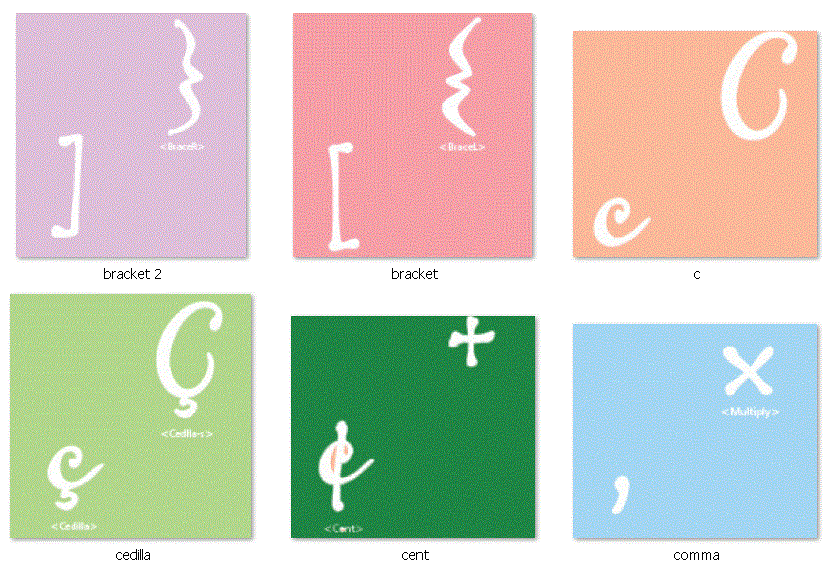
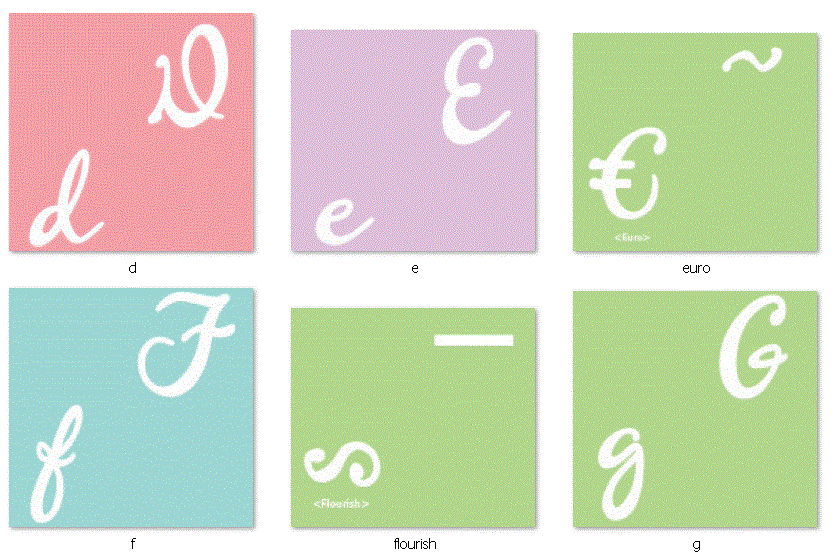
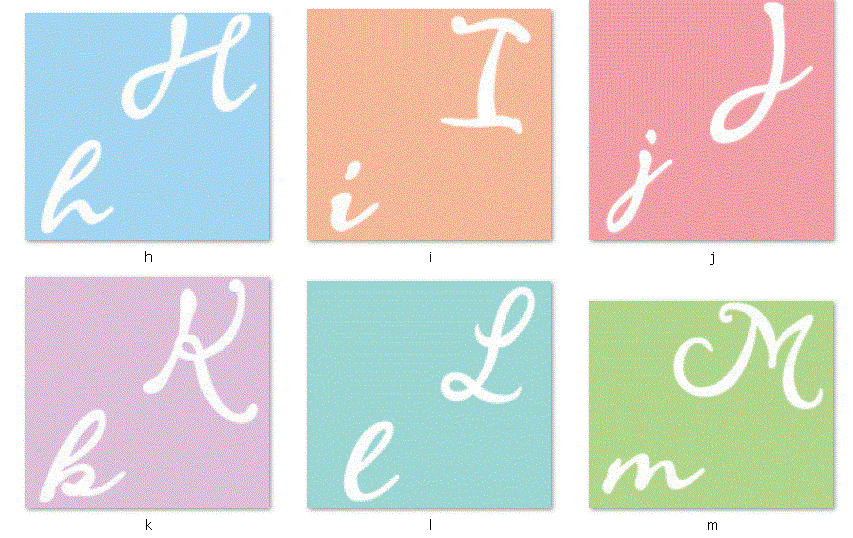
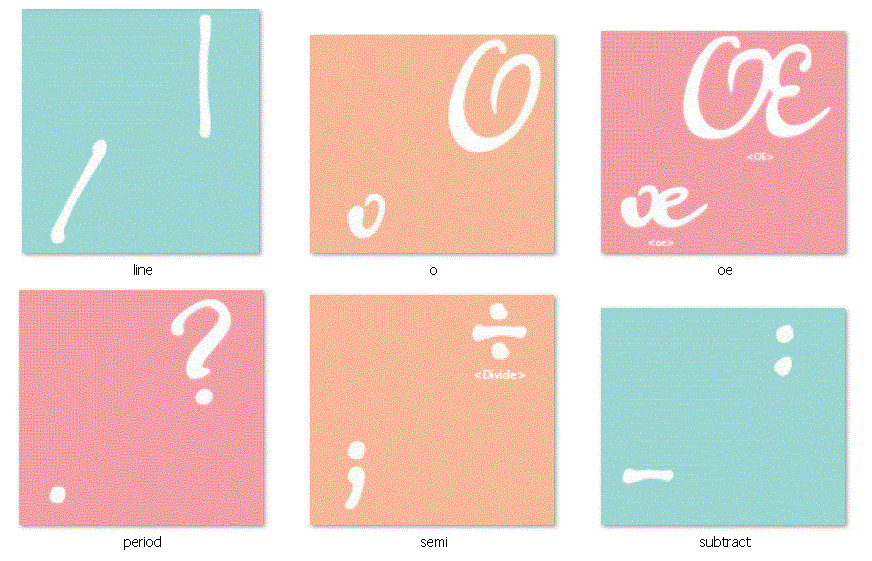
Wow! What a blog title. Well this is going to be one heck of a post. Today I am writing about the exclusive Gypsy Wanderings cartridge which is preloaded on the Gypsy. For those of you who do not own a Gypsy, I am afraid you cannot purchase this cartridge on its own so if you have been on the fence about buying the Gypsy this might be the incentive you need. In this entry we will look at:
- a Sample view of the cartridge images
- a look at all of the pages in the handbook and a pdf download of the handbook with 9 handbook pages per 1, 8.5 x 11 page
- a link to the handbook on the Cricut website
- a look at the "scrolls" on this cartridge
- a look at all of the borders, all of the tags and all of the phrases on the cartridge with PDF downloads of each for quick reference.
- a cartridge "table of contents" spreadsheet with all of the images and phrases and their page numbers and a PDF version for download
SAMPLE SHEET
This is the sample sheet I found on the Cricut site. I do not recall if it was included in the box when I bought my Gypsy but is similar to a Cricut Lite reference trifold except it is not as comprehensive.
Above is a page out of the virtual handbook which you can
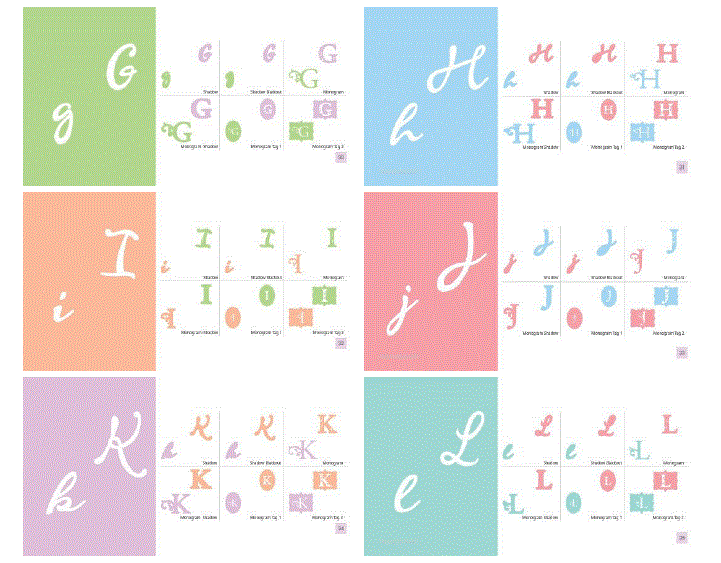
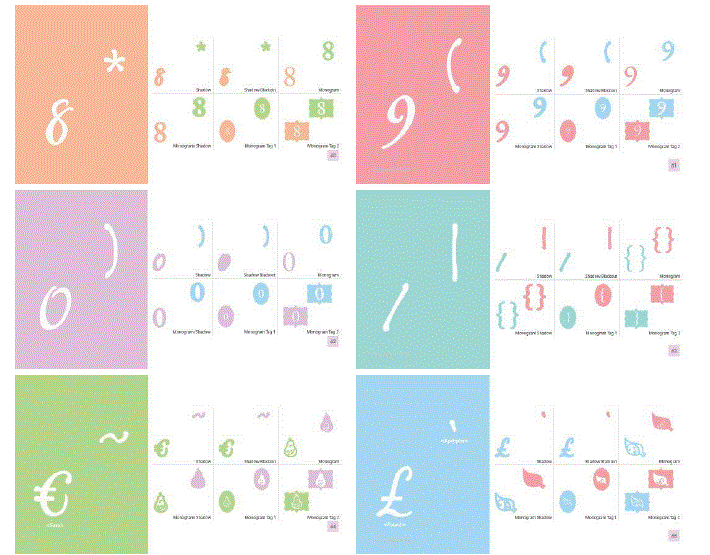
view here. This cartridge is definitely worthy of a handbook as each image key offers a:
- primary image and shift image
- shadows for both primary images
- a decor tag and shadow
- 2 tags (non-decor)
- 2 tag shadows (non-decor)
- a phrase and shadow
- a border and shadow.
That is 7 pieces of artwork with shadows, per key (on the Gypsy virtual keypad) and page, (in the handbook.) That is a lot of images to work with. Granted, we do see some redundancy of images like hearts, flowers, crowns and butterflies but Gypsy Wanderings is a really great "bread and butter" cartridge- especially once you know what you have to work with!
GYPSY WANDERINGS HANDBOOK
Let's take a look at the handbook. There are 9 pages below; each has 9 handbook pages on it.
You can download a PDF copy of this Gypsy Wanderings Handbook Reference Sheet by clicking the link below. You should print it in
horizontal orientation.
This is a total of 25 pages, multiply by 7 and you have 175 unique pieces of artwork plus their shadows. I found this reference PDF through the Cricut message board along with many other cartridge handbooks.
Click here to view this goldmine of Cricut handbook information.
SCROLLS
Before we take a closer look at the tags, phrases and borders, I want to briefly talk about "scrolls". There are 8 scrolls on this cartridge (they can by found on pages 37, 40, 70, 74) and you will find many more scrolls on other cartridges.
Maybe it is just me but the title "scroll" is sort of a strange description for these images. I have no idea what else you would call them, but I mention it because if you use the Cheatsheet (table of contents with page numbers) at the end of this entry and try to search for one of this swirly, curly, flowery, feathery decorative images, I want you to have the right word to use in your search.
BORDERS
Now lets look at the borders. It used to take me forever to flip through the handbook to find that
perfect border so I created a border reference sheet
which makes the process so much
easier. You can download a PDF copy of this Gypsy Wanderings
BORDER Reference Sheet by clicking the link below. You should print it in
horizontal orientation. If you
would like to
share this information
on your blog, instead of copy and pasting this info, please post a
link to my site.
A-DOR-ABLE! I love the "Be Fabulous" on page 32. Now to use an image as a border on a 12 x 12 layout, you wouldn't want to
enlarge the image to 12 inches wide . This would make the height way to
big for a page border. In order to get a long border for larger pages like
12 x 12 paper, you
can either cut multiples of the border image and line them up along the
edge or
you can use Design Studio, Gypsy or Cricut Craft Room to weld multiple
copies of the border image together. To learn more about welding with
Design Studio,
click here, welding with Gypsy,
click here and welding with Cricut Craft Room,
click here (these are all excellent youtube video tutorials.
TAGS
Now lets take a look at the tags on this
cartridge. You get a total of 3 unique tags for each key/ handbook
page. There is the "decor tag" key and then 2 primary image related tags from the
"tag" key. Each of these have shadows. You cut the decorative tag
shadow by adding shift and the 2 tag shadows, by selecting the "tag
shadow" key. Below is a view of all of the tags on this cartridge with
the handbook page number below it.
You can download a PDF " tag quick reference sheet" below.
You should print it in
horizontal orientation. Printing it out will allow you to skim over all of your tag options without
having to flip through the digital handbook or a printed copy. I always
find it helpful to see my choices lined up next to one another so I can
compare my options quickly. If you
would like to
share this information
on your blog, instead of copy and pasting this info, please post a
link to my site.
The "decorative tags" on the left are not primary image related, so you can use them on any project regardless of the theme. The "tags" on the right have the primary image incorporated into the design and there are two different version to work with. It is worth mentioning that the decorative tags are not limited to just tags. You also get tabs, buttons, mats, frames, pages and shapes.
PHRASES
But wait... there's more!! Now we will take a look at the phrases that come on this cartridge. Below is a view of all of the phrases on this cartridge. You can download a PDF " phrase quick reference sheet" below.
Print this out (You should print it in
horizontal orientation.) so you can skim over all of your phrase options without
having to flip through the digital handbook or a printed copy. As always, if you
would like to
share this information
on your blog, instead of copy and pasting this info, please post a
link to my site.
These are core phrases and I really like the fonts they selected.
TABLE OF CONTENTS
Last, but not least, here is a list of all of the images and phrases on this cartridge with
their page numbers. If you find any errors in the spreadsheet, please
let me
know so I can make corrections. If you would like to share this information
on your blog, instead of copy and pasting this info, please paste a
link to my site. The spreadsheet below is saved as a JPEG but you can
download a PDF version of Gypsy Wanderings here:
Wow - that was a lot of information - I hope it is helpful! Thanks for popping over. It has been really great getting your WONDERFUL comments and I am so happy to see that I am collecting followers. If you haven't already become a follower, please do. It seems silly, but little things like comments and followers make my day. :o) I hope you have a great weekend!! Jilliene