This week's challenge on the Fantabulous Cricut Challenge Blog is "May Flowers" - Create a project that uses flowers. For my FCCB Design Team contribution I created this simple card:
I used the "Congrats" card from Svgcuts.com's Five-Minute Cards collection as my template and used Cricut Design Space to make a few modifications. I added a shadow to the "leaves" base and stretched the "interior" panel to fit as a mat on the outside of the card. I deleted all of the text layers and accent entirely.
I had intended on using the "Thanks a Bunch" sentiment from the Cricut cartridge, "A Walk in My Garden" but that cartridge isn't included in my subscription and I didn't want to pay when I could make it myself so I selected "Everyday Fonts," created three different text boxes- one for each word- and welded the expression together. To make the shadow, I just increased the size a smidge.
My original design - the one I submitted to FCCB - does not have bling in the center of each flower. I originally put them on, then took them off because I wanted the card to have that "simple times- less is more" vibe but after I slept on it, I felt the bling was a better way to go.
Speaking of May flowers, I sure hope our weather works it's self out so we can have some. Northern California weather is pretty bi-polar these days. Last week we hit 90 degrees and today I wore pants, a long sleeve shirt and Uggs. Poor mother earth. I don't think she is well.
Showing posts with label Fantabulous Cricut Challenge Blog. Show all posts
Monday, May 19, 2014
Monday, May 12, 2014
Celebrate Mom Box Card
This week's challenge on the Fantabulous Cricut Challenge Blog is '"Celebrate Mom." The prize for this week's challenge is extraordinary - a $50 gift card to svgcuts.com! Woo hoo!
For my Design Team contribution, I did this fun Castle Box Card from svgcuts with the "Queen for a Day" caption from the Cricut cartridge, Once Upon a Princess. Svgcuts' box cards are super fun to make and are SOOOOO easy.
If you are considering making a purchase at svgcuts.com, but are struggling with the selection, you might want to get this one. The bang for the buck cannot be beat and it literally takes 15 minutes to assemble. And that is paper selection to envelope!
I also made this box card from the same collection. I changed up the papers and added my own details to coordinate with the spirit of the recipient. I can see using this card for so many different occasions.
Stay tuned this week as I will have a different svgcuts project posted daily. And don't forget to submit your "Celebrate Mom" project at Fantabulous Cricut Challenge Blog for a chance to win a $50 gift card to svgcuts.com
For my Design Team contribution, I did this fun Castle Box Card from svgcuts with the "Queen for a Day" caption from the Cricut cartridge, Once Upon a Princess. Svgcuts' box cards are super fun to make and are SOOOOO easy.
If you are considering making a purchase at svgcuts.com, but are struggling with the selection, you might want to get this one. The bang for the buck cannot be beat and it literally takes 15 minutes to assemble. And that is paper selection to envelope!
I also made this box card from the same collection. I changed up the papers and added my own details to coordinate with the spirit of the recipient. I can see using this card for so many different occasions.
Stay tuned this week as I will have a different svgcuts project posted daily. And don't forget to submit your "Celebrate Mom" project at Fantabulous Cricut Challenge Blog for a chance to win a $50 gift card to svgcuts.com
Labels:
celebrate mom,
Fantabulous Cricut Challenge Blog,
FCCB,
mother's day,
princess card,
svgcuts
Sunday, May 11, 2014
Win a Svgcuts $50 Gift Card at FCCB!
This is huge! Svgcuts.com is sponsoring this week's challenge at the Fantabulous Cricut Challenge Blog and one lucky winner will receive a $50 gift card to their store! The theme is "Celebrate Mom". I wish I could enter this challenge because I would use up that credit in the blink of an eye! In fact, since I bought my Cricut Explore which enables me to cut svg files, I have purchased the following collections:
Every night after we put the kids to bed I have been making these cute little projects and feeling like a million bucks! That is what creating does for me. It makes me shine inside. So this week I will be posting the projects I have done and I have a tutorial for paper roses.
You don't have to use a file from svgcuts to submit in this week's challenge - the only requirement is that you use one Cricut cut so let's see what you can do to Celebrate Mom! I'll be posting mine tomorrow so pop back over!!
Happy Mother's Day!
Monday, May 5, 2014
Playing with Svg Files and Paper Fun Challenge
I spent the entire weekend playing with my Cricut. Next week Svgcuts.com is sponsoring our challenge with a HUGE prize of a $50 gift card to their shop. I wanted to showcase their products in some of the upcoming challenges so I downloaded a project kit to work with - oh, I'm sorry... did I say "a project kit"... alluding to just one single kit?? I meant I downloaded FOUR project kits because I lack restraint in any way when faced with creativity sparking genies!!!
Needless to say, I didn't leave the house all weekend because I was crafting like crazy. I have my project done for next weeks challenge "Celebrating Mom" but you'll have to wait to see it. Today, we are looking at Challenge#209: Paper Fun- Use patterned paper on your project.
I must tell you that this challenge ultimately caused me to reorganize all of my patterned paper from being separated by color to being divided by collection. This was a humungous undertaking but that is another story. Right now we are going to look at the fun stationary set I made for my daughter's 2nd grade teacher; Mrs. Patterson. Tomorrow is National Teacher Appreciation Day so this is going to be a great gift for Eva to give her teacher.
I used the "Card for Teacher" svg project files from "School Days" to make my version of the project. I used paper from the K and Co. "Danny O" collection to make the box and the "Cricut Craft Room Font" to cut the letters that spell out Mrs. Patterson.
The cards and envelopes came in a separate svg file folder and were very simple to make. I used foam dots to add dimension under the apple and folded the leaf to make it jump off of the page. I tried to juxtaposition the large willy nilly polka dots on the box with the tidy small polka dots on the cards. I love working with patterned paper for this reason. You can add depth and interest to any project regardless of its simplicity, by playing with both contrasting and complimentary designs. In a way, patterned paper allows you to tell a story. In my project, I tried to use paper that had child-like qualities with prominently primary colors as to say "I belong in a classroom." My cards are much more orderly however, announcing, "this is an official note from the teacher".
Take some time to do some crafting this week because you deserve it! Pull out your favorite sheet of patterned paper and make a project with it. Let the paper do the talking and see what happens!
Monday, April 7, 2014
Cricut Cartridge -Create a Friend, Svgcuts.com and FCCB Challenge
This week's challenge on the Fantabulous Cricut Challenge Blog is called Spring Cleaning which asks you to create a project using a cut or a cartridge that you have never used before. How fun is that?!
I have been infatuated with the relatively new Cricut cartridge "Create a Friend" (which is included with the $9.99 subscription to over 25,000+ Cricut Images) so I made this adorable little clown:
He consists of a lot of layers and colors - 9 if you cut via Cricut Design Space and 10 if you use the cartridge.
Just a side note...The gray shadow- see below (S+F+35) doesn't show up on the Design Space mat when you select the image via the subscription. I didn't even know it was an option until I started writing this post. Because the balloons are not mounted onto the surface of my card (at the top), I wanted that extra support so when I assembled my little die cut, I welded the balloons and the black shadow (S+35) together to create a base of my own.
It is worth mentioning that I originally cut this clown at 3.5" but no matter what setting and material I tried (paper/ light cardstock/ cardstock), Cricut Explore was unable to cut the intricate details without tearing edges (I wasted a lot of paper on this one). The blade is near new, so dullness had nothing to do with it. When I bumped the size up to 4.0" however, my little clown cut fine.
Once I had my clown I had to figure out how to incorporate him into a card or layout. After much deliberation, I decided to use him in a card I purchased from svg.cuts.
Folding this card is a little tricky as it is not intuitive- it took me a good 20 minutes to figure it out the first time I folded it together. I must have watched the folding portion on the assembly instructions a dozen times before I got it.
Ta-Dah! I adore the cute clown die cut from the Create a Friend Cricut cartridge and while it may be over-shadowed by the card design from svgcuts, the combination really came together well. What will you do for your entry into the FCCB challenge?
This week's sponsor is Mark's Famous Paper and Stamps and the FCCB challenge winner will receive a Silly Shells Stamp Set. Give it a go - I hope you have as much fun as I did!!
I have been infatuated with the relatively new Cricut cartridge "Create a Friend" (which is included with the $9.99 subscription to over 25,000+ Cricut Images) so I made this adorable little clown:
He consists of a lot of layers and colors - 9 if you cut via Cricut Design Space and 10 if you use the cartridge.
Just a side note...The gray shadow- see below (S+F+35) doesn't show up on the Design Space mat when you select the image via the subscription. I didn't even know it was an option until I started writing this post. Because the balloons are not mounted onto the surface of my card (at the top), I wanted that extra support so when I assembled my little die cut, I welded the balloons and the black shadow (S+35) together to create a base of my own.
It is worth mentioning that I originally cut this clown at 3.5" but no matter what setting and material I tried (paper/ light cardstock/ cardstock), Cricut Explore was unable to cut the intricate details without tearing edges (I wasted a lot of paper on this one). The blade is near new, so dullness had nothing to do with it. When I bumped the size up to 4.0" however, my little clown cut fine.
Once I had my clown I had to figure out how to incorporate him into a card or layout. After much deliberation, I decided to use him in a card I purchased from svg.cuts.
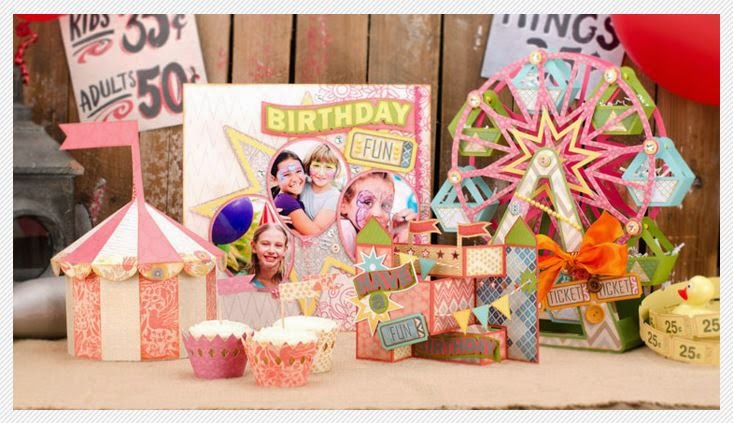
One of my favorite features on the Cricut Explore is that it allows you to cut svg files by uploading them into your Design Space image library. I have purchased a number of svgcuts.com's project collections which I will showcase in future posts. The card above came with a collection called The Carnival Collection.
To learn how to upload svgcuts.com project files to Design Space and cut entire projects watch the video below.
Folding this card is a little tricky as it is not intuitive- it took me a good 20 minutes to figure it out the first time I folded it together. I must have watched the folding portion on the assembly instructions a dozen times before I got it.
Ta-Dah! I adore the cute clown die cut from the Create a Friend Cricut cartridge and while it may be over-shadowed by the card design from svgcuts, the combination really came together well. What will you do for your entry into the FCCB challenge?
This week's sponsor is Mark's Famous Paper and Stamps and the FCCB challenge winner will receive a Silly Shells Stamp Set. Give it a go - I hope you have as much fun as I did!!
Wednesday, March 26, 2014
FCCB Bye Bye Birdie Challenge
This week's challenge on the Fantabulous Cricut Challenge Blog was Bye Bye Birdie - Make a Project with a Bird. There are so many choices in the Cricut Image Library to work with. I mean there is an entire cartridge - 3 Birds on Parade dedicated to bird images plus thousands of other feathered friends sprinkled among the other cartridges. I did a search on Cricut Design Space "Insert Image" library with the keyword being BIRD and 1,218 images came up.
Clearly, the most challenging part of this challenge is picking which adorable graphic to work with!
My project has a little Cinderella song in it with helpful little birds carrying a bunted banner that says "Sweet". This is a Thank You card intended for my dear friend Laura. She bought my daughter the most adorable dress so I wanted to say thank you in a personal way. The message, "you are so sweet" felt a little more appreciative than the standard thanks.
I used the bunting images from Simply Charmed (there are a variety of flag options in the Font category after they finish with the alphabet) and the birds came from Everyday Pop Up Cards. We would love to see what you can do with this fun challenge. Post your entry on the Fantabulous Cricut Challenge Blog for a chance to win a surprise gift from our sponsor, The Robin's Nest.
Pop on over to see her fabulous Products and amazing talent. Her blog is wonderful!
Clearly, the most challenging part of this challenge is picking which adorable graphic to work with!
My project has a little Cinderella song in it with helpful little birds carrying a bunted banner that says "Sweet". This is a Thank You card intended for my dear friend Laura. She bought my daughter the most adorable dress so I wanted to say thank you in a personal way. The message, "you are so sweet" felt a little more appreciative than the standard thanks.
I used the bunting images from Simply Charmed (there are a variety of flag options in the Font category after they finish with the alphabet) and the birds came from Everyday Pop Up Cards. We would love to see what you can do with this fun challenge. Post your entry on the Fantabulous Cricut Challenge Blog for a chance to win a surprise gift from our sponsor, The Robin's Nest.
Pop on over to see her fabulous Products and amazing talent. Her blog is wonderful!
Monday, February 24, 2014
Fantabulous Cricut Challenge Blog - Your favorite colors...
This week's challenge on the Fantabulous Cricut Challenge Blog is "All about me - do a project with your favorite colors." I gotta tell you, I was a little blocked on this one. My son has been home sick for almost a week and as usual, I've caught what he has. I can't believe this sicky streak we have been on- it has really stymied my creativity. To combat my grey mood, I decided a strong wash of color was in order so my post for this week is this bold and beautiful flower cut from the Cricut cartridge Floral Embellishments.
I just don't use this cartridge enough. It has a lot of fun images that will work with so many different looks! The big bloom around this flower totally reminds me of my big hair (when I take the time to get dolled up). I really like the bright colors and outstanding charm this image affords. Certainly you could tone it down with another color palette but since it is all about me, I went with lively tones. I love the enthusiasm and excitement of this burst of color; even if I am feeling blah and meh from being sick.
Labels:
Cricut cartridge,
Fantabulous Cricut Challenge Blog,
favorite colors,
FCCB,
Florals Embellished
Monday, January 6, 2014
Blog Hop and Cricut Cartridge Wild Card 2
Fantabulous Cricut Challenge Blog is hosting a blog hop this week! Follow the links below to see our Design Team's projects and and meet our newest members plus win prizes! Finish up at the FCCB website and submit a project for a chance to win a set of clear stamps from Scrappy Moms. This weeks challenge is to create a project using a sentiment.
This is my project using the Cricut cartridge "Wild Card 2." This cartridge is relatively new and is fast becoming one of my favorite. I love the artwork and the randomness of the projects. Certainly there are a couple corny card projects but most of the designs are quite clever. I will be offering more information about Wild Card 2 this week so make sure you pop over to learn more.
Here is the line up for the FCCB Blog Hop:
This is my project using the Cricut cartridge "Wild Card 2." This cartridge is relatively new and is fast becoming one of my favorite. I love the artwork and the randomness of the projects. Certainly there are a couple corny card projects but most of the designs are quite clever. I will be offering more information about Wild Card 2 this week so make sure you pop over to learn more.
And now the details about my giveaway!
The winner will receive a copy of Cricut Mini Albums.
It is loaded with tutorials and tons of inspiration. And to make things interesting, I will also be revealing a few additional giveaway goodies on Tuesday! To enter this giveaway you can:- become a follower (join this site)
- "like" me on Facebook
- pin a project from my blog.
Here is the line up for the FCCB Blog Hop:
Amy HS The Stamping Tree
Emily Mollie's Blog
Faith Scrapbooker PhD
Heather Scrapping Runner Creations
Jackie Luv 2 Scrapp
Lynn My Cards N Stuff
Michelle Just a Nutter Papercrafter
Missy Quick Chick Designs
Nikki Crafty Calamities
Rebecca Crafting Misfit
Elizabeth Unik by Yes
Cindy Creating with the Heart
Pam Stamper at Heart
Karla Creative Love Affair
Jilliene Jilliene Designs
Joneita Create with Joneita
Kim Kim's
Kreations
Labels:
blog hop,
cricut,
Fantabulous Cricut Challenge Blog,
FCCB,
wildcard 2
Monday, August 26, 2013
FCCB Heat Wave Challenge using Summer Celebrations Cricut Cartridge
This week's challenge at Fantabulous Cricut Challenge Blog is "Heat Wave," which left me with a lot of wiggle room to create a project. I decided to do something from the Summer Celebrations Cricut cartridge since I had not had an opportunity to use it yet.
After a lot of page flipping, I decided to do the Pool Party card but instead of doing the single color silhouette layer presented with the card, I elected to use the full primary images from pages 33 and 34 and adhere them on top of the the card cutouts.
I used Design Studio to size the boy and girl images to fit perfectly on the card silhouettes. Since their sizes were customized to fit on the card, I was unable to use the "relative" feature. This meant that I had to I re-size each of the layers so that the clothes and other elements fit perfectly on the boy and girl base images. This was a little tedious but necessary to make everything line up perfectly.
I had a lot of fun building the color palette for the two figures. I wanted to give the two characters some personality so I dug deep into my scraps and brought out a few of those 6 x 6" pads that I can't seem to use because they are too pretty. After some hunting, I got the look I was after. In several cases I cut the same layer multiple times with different paper so I could introduce additional color into the design.
For example, the little girl's skirt, bathing suit top and glasses came from one layer which I cut twice with both pink and pink polka dotted paper. This gave her outfit a little variety.
The boy's towel and a portion of his ball were also a single layer which I cut twice with both yellow and blue cardstock.
I don't know why I chose that color for the card - I guess it just spoke to me - but once I had the card cut out I thought "wow, that is a lot of green" so I cut the card + shift in white to offset it a little. Then, once I had the primary images of both the girl and boy assembled, I adhered them on top of the white trim so that a tiny part of the white was visible. I was still uncomfortable with the amount of green and considered re-cutting the card in a different color altogether, but then I added the sun from the Pack Your Bags Cricut cartridge and it all came together.
So there you have it. I just love the interest created by the shadows in these images. The designers did a great job with the Summer celebrations cartridge.
Now I need to find some time and money for a trip to Paris so I can use the Arc de Triomphe de l'Étoile image on page 31.
After a lot of page flipping, I decided to do the Pool Party card but instead of doing the single color silhouette layer presented with the card, I elected to use the full primary images from pages 33 and 34 and adhere them on top of the the card cutouts.
I used Design Studio to size the boy and girl images to fit perfectly on the card silhouettes. Since their sizes were customized to fit on the card, I was unable to use the "relative" feature. This meant that I had to I re-size each of the layers so that the clothes and other elements fit perfectly on the boy and girl base images. This was a little tedious but necessary to make everything line up perfectly.
I had a lot of fun building the color palette for the two figures. I wanted to give the two characters some personality so I dug deep into my scraps and brought out a few of those 6 x 6" pads that I can't seem to use because they are too pretty. After some hunting, I got the look I was after. In several cases I cut the same layer multiple times with different paper so I could introduce additional color into the design.
For example, the little girl's skirt, bathing suit top and glasses came from one layer which I cut twice with both pink and pink polka dotted paper. This gave her outfit a little variety.
The boy's towel and a portion of his ball were also a single layer which I cut twice with both yellow and blue cardstock.
I don't know why I chose that color for the card - I guess it just spoke to me - but once I had the card cut out I thought "wow, that is a lot of green" so I cut the card + shift in white to offset it a little. Then, once I had the primary images of both the girl and boy assembled, I adhered them on top of the white trim so that a tiny part of the white was visible. I was still uncomfortable with the amount of green and considered re-cutting the card in a different color altogether, but then I added the sun from the Pack Your Bags Cricut cartridge and it all came together.
So there you have it. I just love the interest created by the shadows in these images. The designers did a great job with the Summer celebrations cartridge.
Now I need to find some time and money for a trip to Paris so I can use the Arc de Triomphe de l'Étoile image on page 31.
Monday, July 29, 2013
Monday Challenge: "Shape Cards"
This week's challenge on the Fantabulous Cricut Challenge Blog is a to create a "Shaped Card." I have been looking forward to this week's challenge because I just purchased Wild Card 2. This is such a cool cartridge guys! It is so much better than any of the other Cricut "card" cartridges. The designs are dynamic and the card phrases aren't as cliche.
I selected an octopus looking monster card for my project so that the "shaped card" part was clear. The caption associated with this image is "Need a hand?" Not a greeting I'd use, but to each his own. I skipped the greeting all together and focused on making a colorful, dimensional, playful card that I could actually give to someone. I thought this design would be great for a kid's birthday.
I used pop dots to lift the top layer off of the base to give the card dimension and movement.
I made a few changes to the cartridge design for the face. I thought the original design was cute but too matchy-matchy. I wanted the card to feel a little more alive and googley eyes did the trick. My daughter's Jack-o-lantern smile inspired me to turn the mouth cut upside down. See the resemblance:
I really like the Cricut cartridge Wild Card 2 and am looking forward to making more of its great designs.
I selected an octopus looking monster card for my project so that the "shaped card" part was clear. The caption associated with this image is "Need a hand?" Not a greeting I'd use, but to each his own. I skipped the greeting all together and focused on making a colorful, dimensional, playful card that I could actually give to someone. I thought this design would be great for a kid's birthday.
I used pop dots to lift the top layer off of the base to give the card dimension and movement.
I made a few changes to the cartridge design for the face. I thought the original design was cute but too matchy-matchy. I wanted the card to feel a little more alive and googley eyes did the trick. My daughter's Jack-o-lantern smile inspired me to turn the mouth cut upside down. See the resemblance:
I really like the Cricut cartridge Wild Card 2 and am looking forward to making more of its great designs.
Monday, July 22, 2013
Summer Fruit. What a Hoot. Scrapbooking the Silly.
The weekly challenge over at Fantabulous Cricut Challenge Blog is called "Fruit Salad" and we have been asked to make a craft project that contains fruit (and at least one Cricut cut). I had a hard time coming up with a design for this project. I have been trying to create scrapbook layouts for my design team creations so that I get at least one page a week completed for our family albums. So trying to find a concept that would work with our family photos and would include a Cricut cut and would be clever, maybe even a little charming, was a real humdinger.
First, I went to My Cut Search to find all the fruity cartridge options Cricut has to offer. Then I sifted through those so I had a shorter list that just included the cartridges I own. From there, I flipped through by handbooks (I prefer them to the digi's when I am brain storming) to find an image that would inspire me. Finally, I committed to the apple tree from the Freshly Picked cartridge. I knew I could easily work the old adage "the apple doesn't fall far from the tree" into our family photos since it was so apropos. Before I could say "banana split" a specific photo came to mind.
The thing I struggled with most with this layout was bridging the clean, fresh images from the cartridge with the very edgy photo of Eva and I going out to dinner in costumes just for giggles. I made a lot of cuts using a variety of papers but the design that worked best for me was the melding of the Basic Grey, Dasher "Snowfall Cranberry" with red (DCWV), a shade of green, kraft, black and white cardstock (all Valuepack from Michael's). I used a couple foam dots to pop up the apples for a wee bit of dimension, but all in all, it is a pretty simple design.
I still need to add some journalling because it was quite a memorable evening. We went to a local coffee shop all dressed up like super hero hot shots. They were still serving the earlybird special so the restaurant was pretty full with mature people from the nearby senior community. We sure gave them something to talk about! It was a hoot and a hollar and I hope those kinds of memories will help my daughter live with a light heart, a playful spirit and an unusual wardrobe!
Monday, July 15, 2013
Cricut Imagine cartridge, Kate's Kitchen
I am not going to lie. I have had this cartridge for a while now but last week was the first time I had ever used it. I think the artwork is so adorable but my photos didn't seem to connect with the theme.
Well this weeks challenge on the Fantabulous Cricut Challenge Blog is "Set the Scene" and when I started brainstorming my project, I immediately thought of the amazing kitchen graphics on this cartridge. In fact, the hardest part of this challenge was selecting which scene to use.
There are scenes of mom baking in the kitchen
and a pie cooling in the window
But my favorite scene comes from the bonus material on this cartridge. This is the happiest kitchen you will ever meet and it was the perfect backdrop for a few poorly lit photos taken last Christmas. The incorrect exposures are less intrusive with the playful scene surrounding them.
I also made a card with one of the graphics and added the wording using SCAL.
I will be talking more about this cartridge in the upcoming weeks and will provide a Kate's Kitchen table of contents for you to download. Until then, feel free to send me your questions or any cartridge issue you would like covered in my Kate's Kitchen overview.
Thank you for popping in. Be sure to stop by the Fantabulous Cricut Challenge Blog to see what the other DT members did for the challenge and to learn more about this week's prize!
Monday, June 24, 2013
Fantabulous Cricut Challenge Blog Design Team
I have exciting news! Actually its a double dose of happiness!
I have been invited to join the Fantabulous Cricut Challenge Blog Design Team!
Woo Hoo!! Yippee!
If you haven't been to the Fantabulous Cricut Challenge Blog before, you really must. They offer weekly challenges with a giveaway for a randomly selected challenge submission which means that regardless of your experience, you have an opportunity to win. The DT also selects their top 5 submissions which are posted for bragging rights.
The second bit of exciting news is that (FCCB) has offered me their product representative position! I started today. This is a great opportunity for me to become more knowledgeable about the scrapbooking industry which will translate into my tutorials and articles.
That's how happy I am.
Subscribe to:
Posts (Atom)